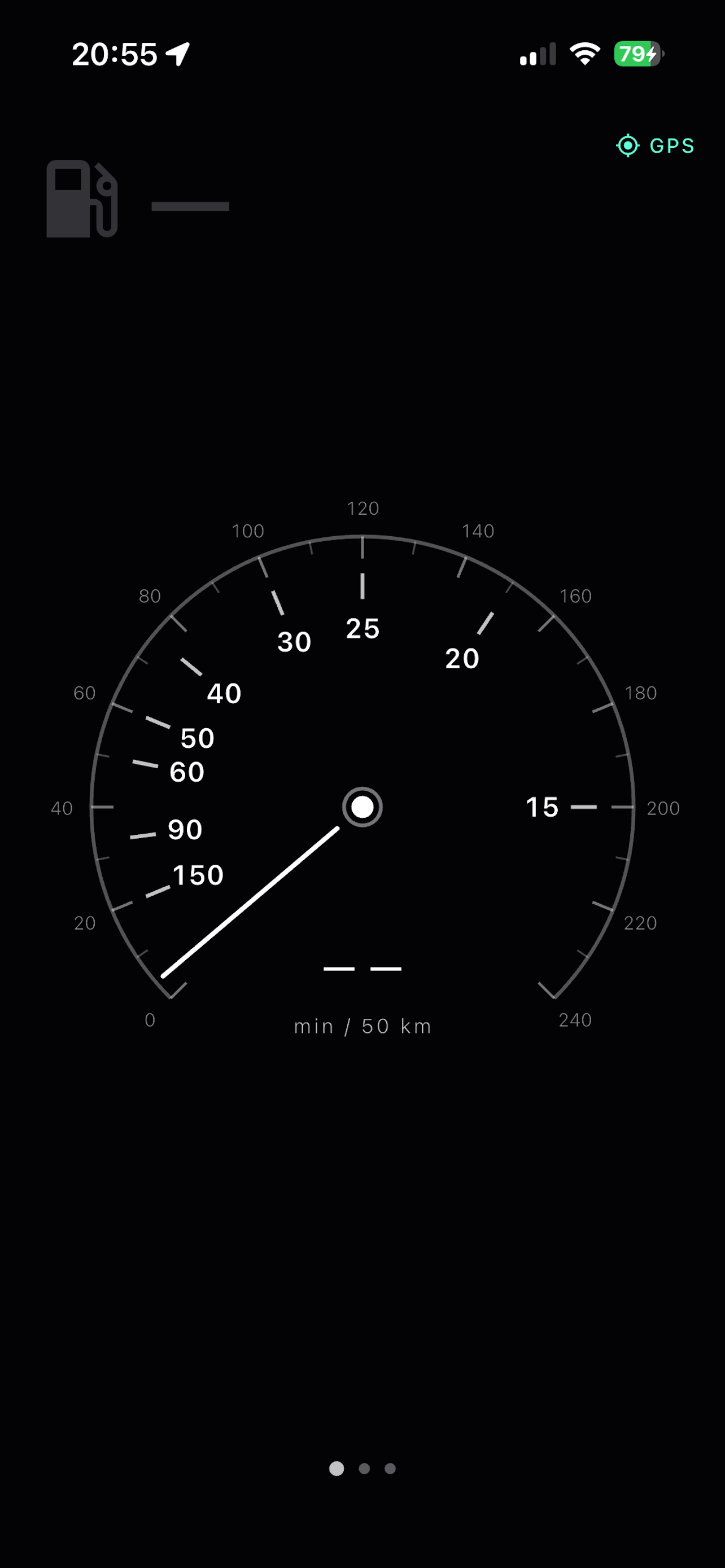
A different kind of speedometer. See how many minutes it takes to drive a fixed distance at your current speed — and why pushing harder barely saves any time.
The gauge shows minutes to travel 50 km at your current speed. It's simple division — but the result is eye-opening.
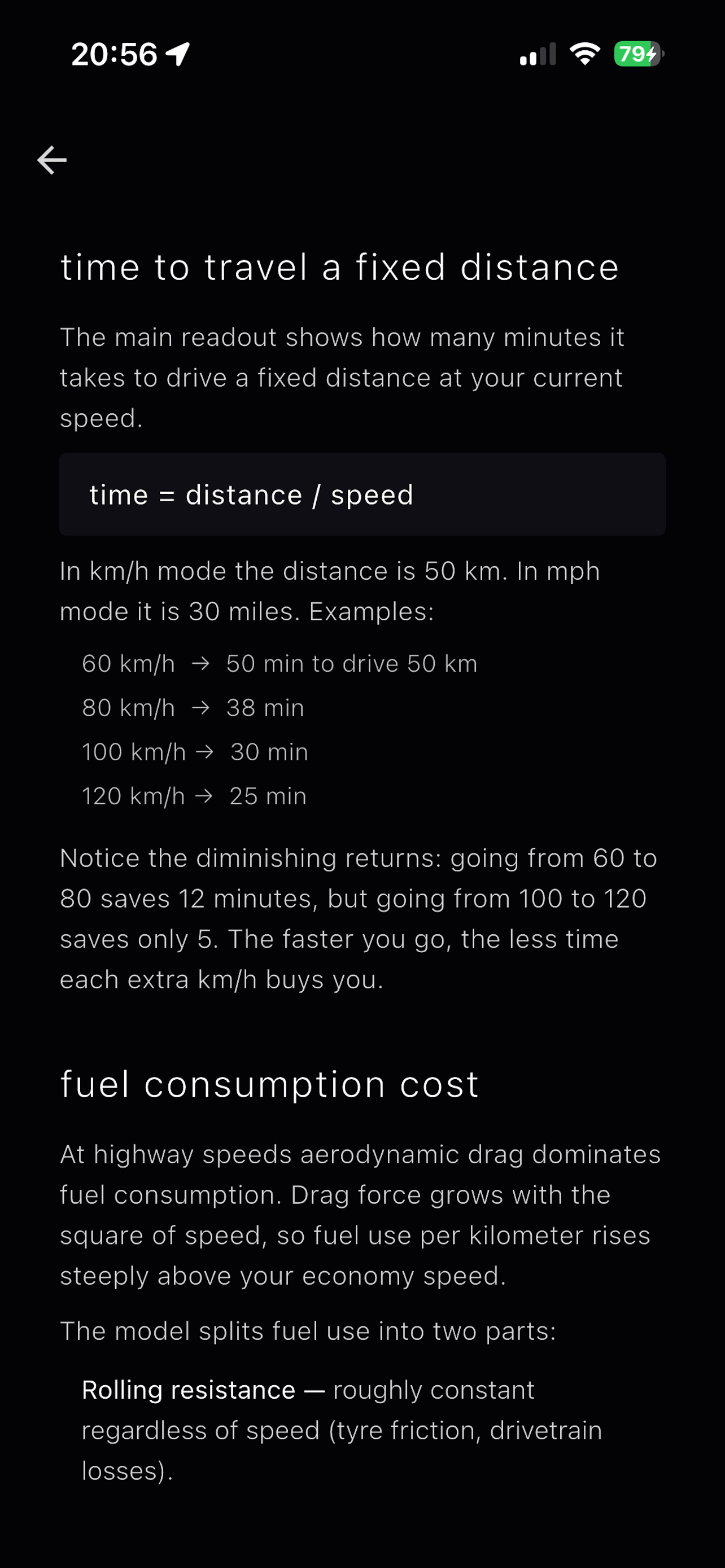
Going from 60 to 80 km/h saves 12 minutes. Going from 100 to 120? Only 5. The returns diminish sharply because time is the inverse of speed — a hyperbola, not a line.
Once you see your speed in minutes, you start asking: is this extra fuel and risk really worth 2 minutes?
A 270-degree speedometer with dual scales — km/h on the outside, minutes on the inside. Reads at a glance.
Large numeric display that adapts to portrait and landscape. Designed to be readable from a phone mount.
Shows the extra fuel cost of going above your economy speed. Based on real aerodynamic drag physics.
An in-app explainer breaks down the physics — diminishing time returns, aerodynamic drag, vehicle profiles.
Smoothed readings with EMA filtering. Requires consistent signal quality before displaying speed — no jittery numbers.
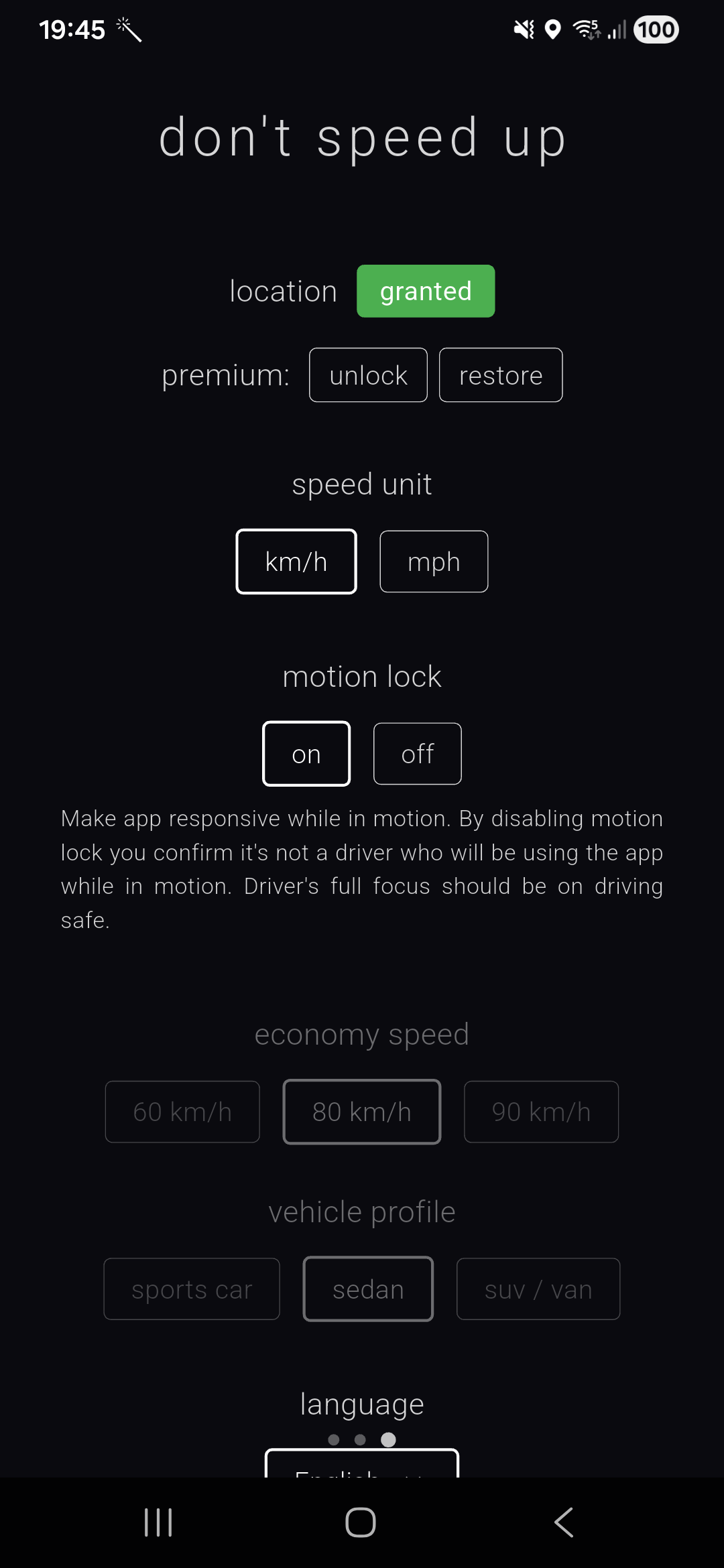
Locks the interface while driving so you stay focused on the road. Safety first — the gauge does the talking.
Aerodynamic drag grows with the square of speed. At highway speeds, it dominates fuel consumption. The app calculates a fuel penalty based on your vehicle profile and economy speed.
A sedan at 120 km/h burns 28% more fuel than at 80. An SUV? 38%. These aren't guesses — they're physics.
The core app is fully functional at no cost. No paywalls blocking the gauge, no premium upsells on safety. A small unlock exists for extras like the digital readout and vehicle profiles.
Zero analytics. Zero ad networks. Your location data stays on your device. The app doesn't phone home, ever. Because a speedometer has no business knowing who you are.
This isn't about going slow. It's about knowing what you're trading for speed — time, fuel, safety. Once you see it in minutes, you make better decisions. That's the whole point.
Install the native app for the best experience — smooth GPS, motion lock, and works offline. Or try the web version first.